Skip to content

Symbol Style Layer

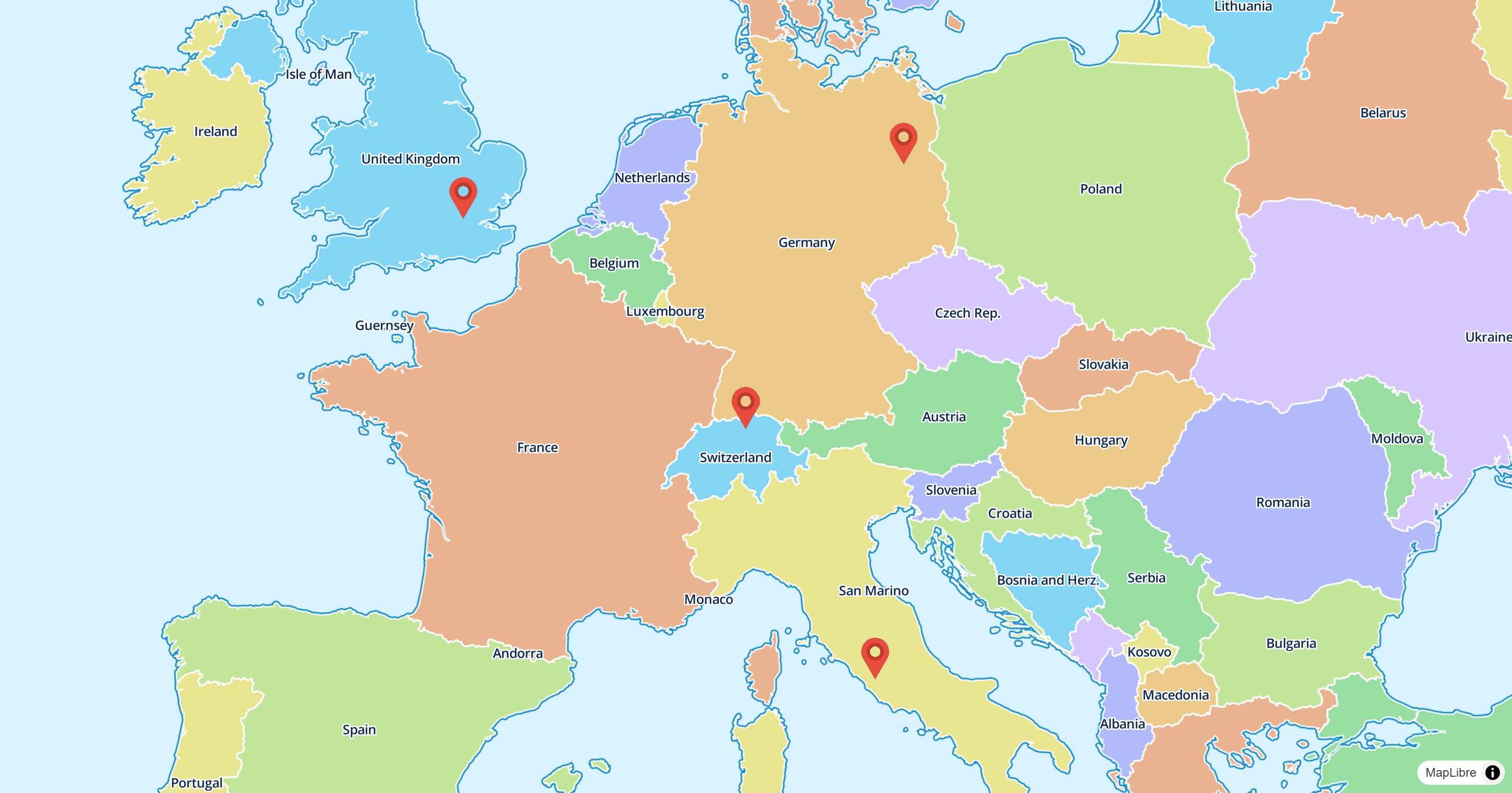
The SymbolStyleLayer is either used by the map style or can be added to the map programmatically to symbolize data on the map.

Symbol Style Layer

Basic Usage

 1
 2
 3
 4
 5
 6
 7
 8
 9
10
11
12
13
14
15
16
17
18
19
20
21
22
23
24
25
26
27
28
29
30
31
32
33
34
35
36
late final MapController _controller;

@override
Widget build(BuildContext context) {
  return MapLibreMap(
      options: MapOptions(initCamera: .position(center: Geographic(lon: 9.17, lat: 47.68), zoom: 7)),
      onMapCreated: (controller) => _controller = controller,
      onStyleLoaded: (style) async {
        // load the image data
        final response = await http.get(Uri.parse(StyleLayersSymbolPage.imageUrl));
        final bytes = response.bodyBytes;

        // add the image to the map
        await style.addImage('marker', bytes);

        // add some points as GeoJSON source to the map
        await style.sources.add(
          const GeoJsonSource.data(
            id: 'points',
            data: _geoJsonString,
          ),
        );

        // display the image on the map
        await style.layers.add(
          SymbolStyleLayer(
            id: 'images',
            sourceId: 'points',
            iconImage: const .literal('marker'),
            iconSize: const .literal(0.08),
            iconAnchor: const .literal(IconAnchor.bottom),
          ),
        );
      }
  );
}

Check out the example app to learn more.

Style & Layout

Every property of the style spec is an optional parameter and a getter and setter of the layer. See Paint & Layout and Expressions.

Read the Paint & Layout chapter to learn more on this topic.